Gemini AI Cinematic Video Prompt Guide: Create Film-Style Visuals Easily
Most creators have experienced this frustration: you imagine a grand, moody sequence with dramatic lighting and steady camera movement, but when you enter a…
Discover, test, and launch battle-tested prompts crafted for ChatGPT, Claude, and Gemini. Copy in one click or launch straight into your favorite LLM.
Select a specialized domain to find fine-tuned prompt structures for your specific use cases.
The highest-performing and most frequently executed prompts right now.
Most creators have experienced this frustration: you imagine a grand, moody sequence with dramatic lighting and steady camera movement, but when you enter a…
Let’s be completely honest for a minute. If you open Instagram Reels, YouTube Shorts, or Facebook Watch right now, your feed is probably flooded…
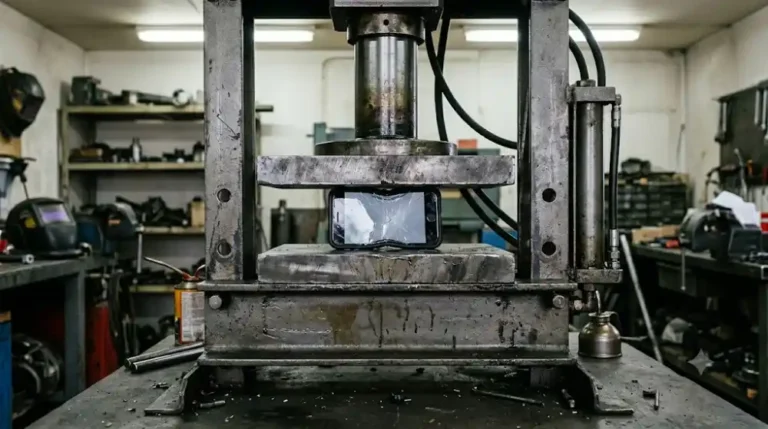
A hydraulic press slowly moving down to flatten an everyday item creates an immediate visual hook. Viewers do not need an explanation or background…
Freshly added prompt templates continuously updated for evolving model versions.
A hydraulic press slowly moving down to flatten an everyday item creates an immediate visual hook. Viewers do not need an explanation or background…
Let’s be completely honest for a minute. If you open Instagram Reels, YouTube Shorts, or Facebook Watch right now, your feed is probably flooded…
Most creators have experienced this frustration: you imagine a grand, moody sequence with dramatic lighting and steady camera movement, but when you enter a…
Built with precision, zero fluff, and optimized for maximum LLM comprehension.
Copy cleanly formatted prompts, download them as plain text files, or launch them directly into ChatGPT and Gemini with pre-filled prompts.
Every prompt is engineered using modular structure, explicit system roles, and standard delimiters compatible with GPT-4, Claude 3.5, and Gemini.
No popups, no bloated JavaScript frameworks, and zero cluttered sidebars. Just pure prompt engineering and instantaneous page speeds.
Prompts include estimated token counts and clear input placeholders, minimizing hallucinations and maximizing output quality.
As Large Language Models (LLMs) continue to advance, the differentiator between generic answers and high-value automated results lies in prompt precision. Generic prompts produce generic outputs. Professional prompt architecture turns AI models into reliable, deterministic reasoning engines.
Every template in our library follows a battle-tested four-layer framework designed to prevent drift and ensure adherence to your project constraints:
Whether you execute prompts through the ChatGPT web interface, the Claude workbench, or the Google Gemini studio, you can launch each template with a single click. Browse our curated categories below to find domain-specific solutions.
Everything you need to know about using, copying, and launching prompts.
Each prompt box comes with a dedicated "Copy Prompt" button that places only the clean, raw prompt text into your clipboard. You can also click "Download .txt" to save it locally or click "Open in ChatGPT" / "Open in Gemini" to launch the model directly in a new tab.
Yes. All templates are structured using universal prompt engineering standards, including explicit system context, role definition, input tags, and deterministic output formats that function reliably across all current LLMs.
Absolutely. You are free to adapt, modify, and integrate these prompts into your personal workflows, client work, internal business operations, and automated AI pipelines.
When authoring any post in WordPress, simply insert the shortcode: [prompt_box title="My Prompt" model="ChatGPT"]Your prompt content here[/prompt_box]. The custom child theme automatically converts it into a high-performance interactive prompt tool.